
Cart and checkout problems
The plan is in the cart but something's off: checkout stops with a message about the Protect6 Care Plan, a plan vanished, the card won't stop checking, or a customer is paying in another currency. What normal looks like is on What your customers see.
Symptom table
Checkout blocked: the plan couldn't be priced
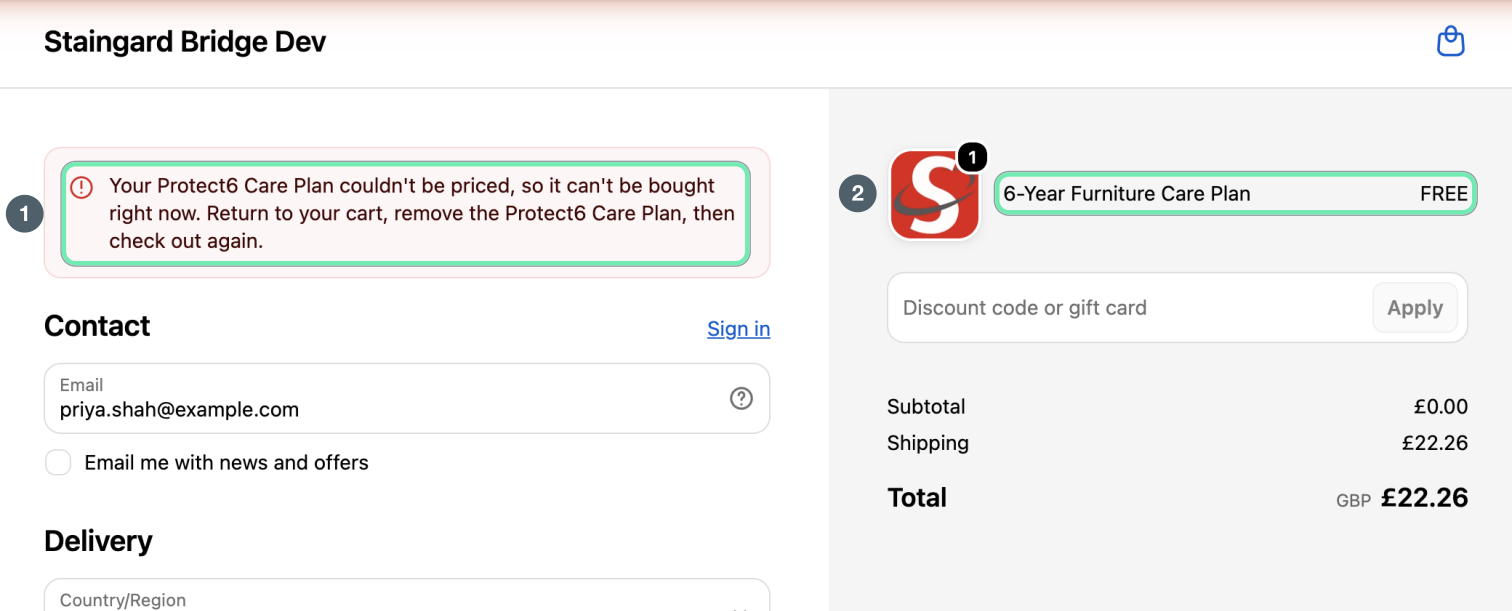
Checkout stops with Your Protect6 Care Plan couldn't be priced, so it can't be bought right now. Return to your cart, remove the Protect6 Care Plan, then check out again. It appears when the customer goes to pay, not on the cart page.
The plan line reached checkout at £0.00. The app prices every plan line in the cart from your settings, and this one wasn't priced, so checkout won't sell cover for nothing. Three things cause it, the most likely first:
- Your store currency has left GBP: Your store has left GBP.
- The customer is paying in another currency:
Customers paying in other currencies . - The app has been uninstalled, and the customer opened a plan product by direct link and added it on its own: Delete or draft the two plan products.
To clear it:
- Open the app's Home screen in Shopify admin. On every visit it checks its own cart pricing and repairs it if needed.
- Ask the customer to return to the cart and remove the Protect6 Care Plan.
- They add the plan again from the product page, then check out.
Checkout blocked: the plan no longer matches the cart
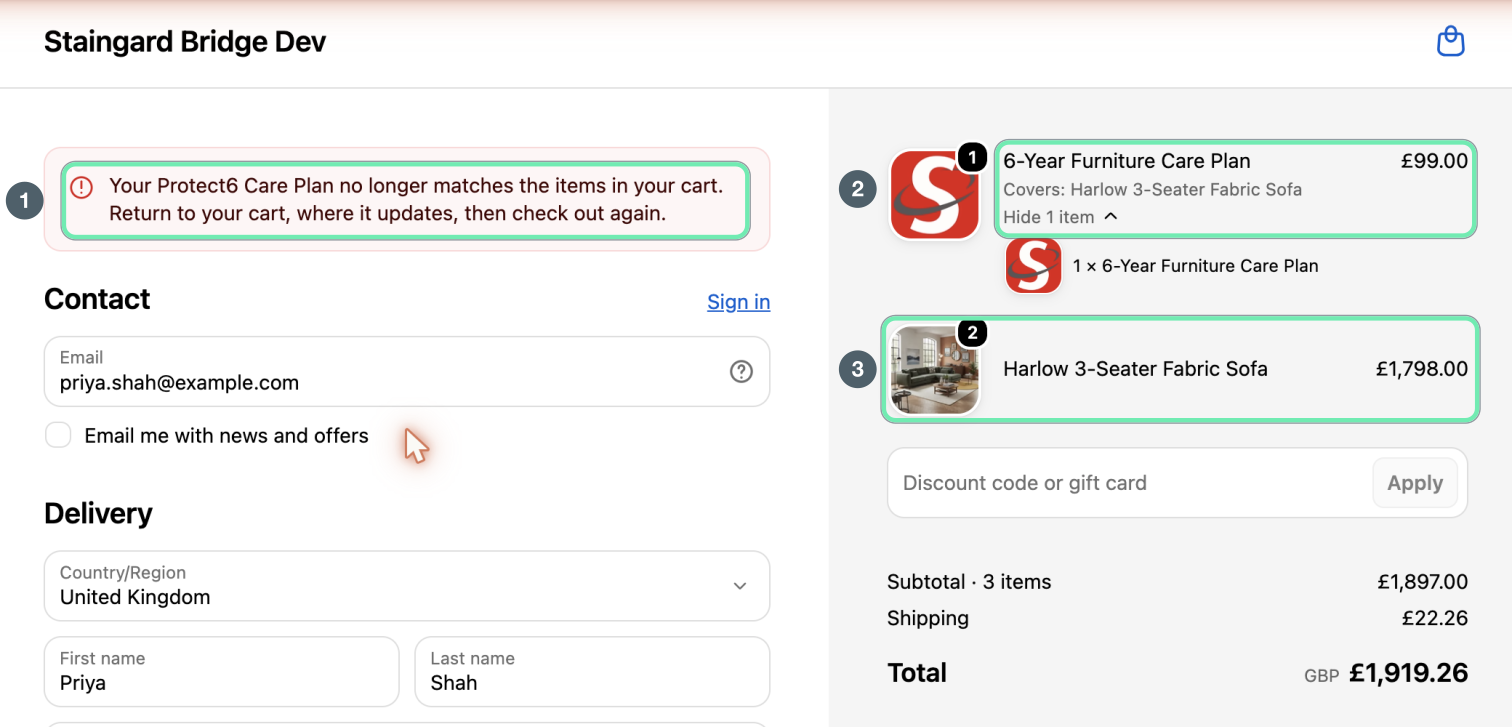
Checkout stops with Your Protect6 Care Plan no longer matches the items in your cart. Return to your cart, where it updates, then check out again.
The covered item changed after the plan was added. Usually the customer changed its quantity in a cart drawer, which the app can't see unless Plan cart sync is on (Turn on Plan cart sync). The plan now covers a different count from what's in the cart, so checkout stops rather than let a mismatched plan through.
- The customer returns to the cart page. The cart corrects the plan to match the items.
- They check out again.
To stop it recurring, turn on Plan cart sync. With it on, the plan follows its item wherever the cart is edited, and the customer never meets this message.
The card is stuck on Checking cover for this size
The card on the product page reads Checking cover for this size… and + Add can't be selected. The card shows this after the page loads, and after each change of size or quantity, while it asks the app for a price. It normally lasts a moment.
If it stays that way:
- Reload the product page.
- If it still doesn't change, open the app from Apps in Shopify admin and check that Home loads.
- If Home loads and the card still won't answer, contact Staingard.
If the card disappears instead of answering, the app has declined to show it. Why the storefront is silent says where to look.
The cart panel couldn't update, or the price changed
The Protect your order panel on the cart page can show two notes.
We couldn't update your Plans just now. Please try again. The panel's request to change the plans didn't get through, usually because of a slow connection. The customer selects the same control again. Nothing in the app needs changing.
The price has changed. Here is the updated offer. The cart changed between the panel being drawn and the customer accepting, so the app repriced the offer. The panel shows the new price, and the customer accepts it or leaves it. That's the offer keeping up with the cart, not a fault.
If the first note keeps appearing on a normal connection, contact Staingard.
A plan disappeared from the cart
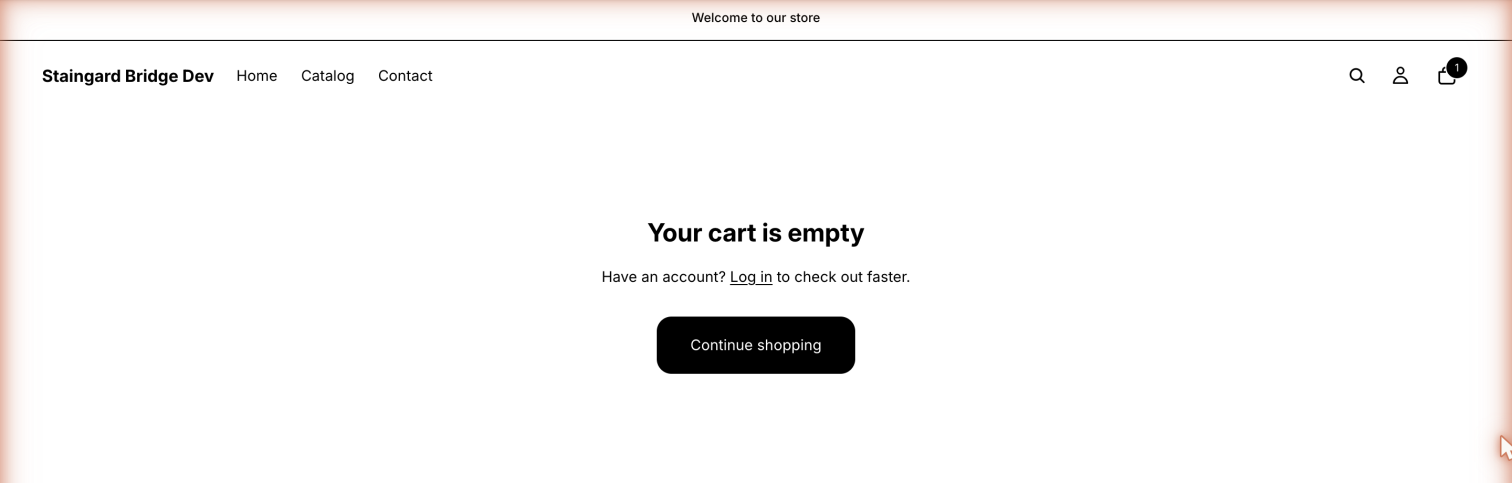
The cart page says We removed your Protect6 Care Plan because the item it covered is no longer in your basket. The customer removed the item the plan covered, and the app removed the plan with it, so nobody pays for cover on nothing. Nothing to do. If they add the item back, the card offers the plan again.
When the customer removes a plan themselves, the note is Protect6 Care Plan removed from your basket. instead.
In a cart drawer, this tidy-up needs Plan cart sync on: Turn on Plan cart sync. Without it, the plan stays until the customer opens the cart page or reaches checkout.
Customers paying in other currencies
Cover is sold only in pounds. A customer checking out in another currency isn't offered a plan: the card withdraws its offer and no plan line is added. When your store has other currencies switched on, Home shows Plans aren't offered to customers checking out in … naming the currencies. Under it is a count: orders in those currencies in the last 30 days that included covered products but no plan. A count that starts At least means there were more orders than the app read. Under it: To offer plans in other currencies, contact Staingard.
There's nothing to fix in the app. This is different from your store's own currency leaving GBP, which does need fixing: Your store has left GBP. If you want plans offered in other currencies, contact Staingard.
Still stuck? Email Staingard at salesteam@staingard.co.uk.